

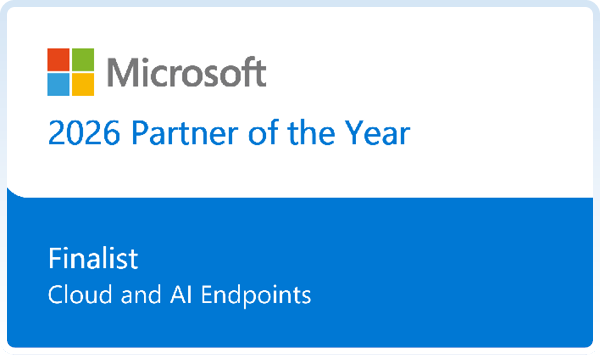
We're a Microsoft Global Finalist
Phoenix has been named a Global Finalist in the 2026 Microsoft Partner of the Year Awards for our work bringing physical devices, Cloud PCs, virtual desktops and AI-enabled computing together.
Built on years of virtual desktop experience. Focused on what comes next.

Some of the organisations we work with






2026 Microsoft Partner of the Year Awards
Global Finalist, Cloud and AI Endpoints Partner of the Year
Physical devices, Cloud PCs and virtual desktops are different ways of delivering the same thing: secure, reliable access to the applications and services people need to do their jobs.
Whether you are moving away from traditional VDI, exploring Windows 365 or Azure Virtual Desktop, modernising endpoint management with Microsoft Intune, or working out where AI fits, that is the work we do every week.
We’re proud to be named a Global Finalist for Microsoft’s 2026 Cloud and AI Endpoints Partner of the Year.
For us, it reflects the work of our Cloud Endpoint practice and the customers who have trusted us with it: NHS trusts, police forces, councils, universities and charities modernising how their people reach the applications they rely on.
Recognition only matters if it carries back into customer engagements. The rest of this page shows what that looks like in practice.
- Windows 365 and Azure Virtual Desktop.
- Microsoft Intune.
- Secure foundations for AI-enabled computing.
2,000+
cloud endpoint professional service engagements delivered since 2024.
Summary
Cloud and AI Endpoints, built on experience
From physical devices and Cloud PCs to advanced virtual desktops and AI-enabled computing, Phoenix helps organisations bring their endpoint environments together through Microsoft technologies.
Backed by practical experience across the UK public sector.
We’re not moving away from endpoint management. We’re extending what an endpoint can be, what it can do and how it can be managed.
We don’t start by assuming a particular technology is the answer. We start with your users, applications, infrastructure and the Microsoft investments you already have.
Then we validate the approach in your environment before you commit to it.
Chapter 01. The ecosystem
One ecosystem, three ways to work
We don’t see physical devices, Cloud PCs and virtual desktops as separate strategies. They’re different ways of delivering the same thing: secure, reliable access to the applications and services people need to do their jobs.
Microsoft Intune provides a common management foundation for physical devices and Cloud PCs, Windows 365 simplifies the delivery of Cloud PCs, and Azure Virtual Desktop gives the additional flexibility needed for more complex or specialist workloads. Underpinning all three is a consistent approach to identity, security, compliance, applications and analytics.
Where the native Microsoft platform doesn’t meet every requirement, we work with specialist technology partners to bridge the gaps, whether that’s simplifying application management, improving digital employee experience, optimising virtual desktop environments or supporting clinical authentication. It’s this combination that lets us support the entire endpoint estate, rather than treating each device type or platform as a separate project.
The Microsoft technologies behind our approach
The three endpoint patterns are supported by different Microsoft capabilities. The right fit depends on the people, applications and environments involved.
Open each one to see where it fits and what to consider.
What the independent research suggests
A projected three-year return on investment of 94% to 217% for Windows 365 alongside Azure Virtual Desktop.
That is the finding of a Microsoft-commissioned Forrester Consulting study published in March 2025. A separate Forrester study of Windows 365 Link, published in July 2025, modelled a six-year return of 109% to 195%, with 22% to 30% of previously unproductive time potentially recovered through faster access and fewer device-related interruptions.
Our Cloud Endpoint Solutions Lead contributed first-hand feedback to the Windows 365 Link study. As he has discussed in his published technical blog, the value goes beyond the device cost to easier provisioning, familiar management through Intune and the way shared endpoints can be secured in practice.
Both studies model a composite organisation, not a Phoenix customer. Returns and productivity gains are projections, not guaranteed savings, and depend on the existing estate, users and licensing.
Chapter 02. How the practice has evolved
From managing devices to enabling intelligent endpoints
Our Cloud Endpoint practice has evolved alongside the technology. Historically, end-user computing focused on physical devices, operating systems, desktop virtualisation and the infrastructure needed to support them.
Four shifts, one practice
Our Intune and endpoint management expertise developed alongside our end-user computing capabilities. For Phoenix, each shift has been a natural progression of the work we’ve been doing for years.
-
Unified management. What were once separate approaches to desktops, mobile devices and virtual environments are coming together through a more unified, cloud-native model.
-
Security built in. Identity, Conditional Access, compliance, endpoint security and Zero Trust principles are now fundamental to how modern endpoints are managed.
-
Physical and cloud together. With Windows 365 and Azure Virtual Desktop, we manage physical devices and Cloud PCs through a consistent approach, using Intune and the wider Microsoft security ecosystem.
-
AI-assisted operations. AI is introducing new ways for IT teams to monitor, troubleshoot and manage endpoints, moving from reactive support towards more intelligent, proactive operations.
Chapter 03. Our heritage
Our virtual desktop heritage, and still evolving
Phoenix’s expertise in cloud endpoints didn’t begin with Windows 365. We’ve been helping organisations design, deploy and manage virtual desktop infrastructure for years, long before Cloud PCs became a mainstream option.
The technology has evolved
The challenges that haven’t changed are application compatibility, performance, connectivity, identity, security and, most importantly, the experience of the people using it.
-
Then
On-premises VDI
Traditional virtual desktop infrastructure, including Citrix and VMware Horizon, designed, supported and modernised by our team for years.
-
Next
Azure Virtual Desktop
Pooled, personal and multi-session desktops in Azure, with the flexibility to build on existing infrastructure investments.
-
Customer example: Northumbria Healthcare made this whole journey with us
Now
Windows 365
Cloud PCs managed through Intune alongside physical devices, with no underlying desktop infrastructure to run.
For many customers, that experience matters more than ever. Changes in virtualisation and subscription models, the cost of refreshing infrastructure and the complexity of supporting established desktop environments are prompting a fresh look at long-term options. Those decisions need to take account of the applications, people and investments already in place, not simply the latest product announcement.
That experience has shaped how we approach cloud endpoints today. We understand the infrastructure customers are moving away from because we’ve spent years designing, supporting and modernising it.
Sometimes Windows 365 is the obvious choice. Sometimes Azure Virtual Desktop makes more sense, particularly where customers have existing infrastructure investments or more complex requirements. Often, the right approach is a combination.
Which is why
We don’t believe there’s one answer for every organisation. Our experience lets us have that conversation from understanding, not from the latest technology.
Chapter 04. Cloud and AI Endpoints
Cloud and AI Endpoints: the next evolution
For years, the conversation has been about how we give people secure access to applications and desktops. Increasingly, we also have to think about where AI workloads run, how they’re managed and how they interact with business systems.
Using AI to manage endpoints more intelligently
AI is already changing how endpoint environments are managed. With Security Copilot in Microsoft Intune, IT teams can use AI-assisted investigation, recommendations and troubleshooting to make better use of the information available across their estate.
The result is a move from reactive support towards more intelligent, proactive operations.
Providing secure, managed endpoints for AI workloads
Windows 365 for Agents provides dedicated, managed environments for AI agents to carry out tasks across applications and workflows, bringing familiar approaches to management, identity and security into agentic computing.
This isn’t simply a future-looking conversation. Gartner’s 2026 CIO and Technology Executive Survey found that 17% of surveyed organisations had already deployed AI agents, while more than 60% expected to within the next two years. That gap shows why management, identity and security foundations matter before these workloads scale.
At the same time, Windows is evolving towards what Microsoft calls hybrid intelligence, combining AI processing on local devices with cloud-based capabilities.
Where AI workloads can run
The opportunity isn’t to introduce AI everywhere. It’s to understand where different workloads should run, how sensitive data should be handled, what infrastructure is required and how everything stays manageable and secure.
-
NPU-equipped PCs for efficient local AI inference.
-
GPU-powered workstations for more demanding workloads.
-
Cloud computing for additional capacity when it is needed.
-
AI-enabled Cloud PCs, emerging capabilities that extend the conversation into Windows 365.
Two sides of the same opportunity: AI that manages endpoints, and endpoints that run AI.
This is a natural extension of our existing expertise across endpoint management, virtual desktops, cloud infrastructure and security.
We’re already working closely with Microsoft’s product teams, participating in private previews and testing emerging Windows 365 capabilities, and bringing real-world public sector requirements into those conversations.
Chapter 05. Why Phoenix
Why Phoenix? Because we’ve been there before
There’s no shortage of organisations that can sell Microsoft licences or deploy a Cloud PC. What makes the difference is understanding the environment it’s going into, the challenges customers face and what it takes to make the technology work in practice.
Our Cloud Endpoint practice brings together Microsoft Intune, Windows 365 and Azure Virtual Desktop specialists who work across healthcare, local government, education and other complex environments. Since FY25, the practice has delivered over 2,000 professional services engagements, including work completed during FY27 to date, from workshops and assessments to proofs of concept and production deployments.
Decades in the UK public sector
“There’s not another device that integrates into the compliance engine of Microsoft Intune like Windows 365 Link does.”
-
NHS organisations, where clinical applications, smartcards, shared devices and connectivity all need careful consideration.
-
Police forces exploring modern cloud endpoints while maintaining the security and operational requirements they depend on.
-
Established virtual desktop estates, modernised without losing sight of the investments already made.
-
Support beyond deployment, through our Managed Endpoints with Intune service, as requirements change.
Working closely with Microsoft
We’re actively involved in emerging technologies, private previews and early adoption programmes across Windows 365, Azure Virtual Desktop and Microsoft Intune, including Windows 365 Flex, Windows 365 Link, Windows 365 Reserve and emerging hybrid desktop capabilities.
Why this matters to you
That involvement gives us more than early visibility of new features. It lets us test technologies in realistic environments, give feedback directly to Microsoft and help influence how these solutions develop, particularly for customers in complex public sector environments.
It also includes contributing practical insight to published industry research. In the July 2025 Forrester study of Windows 365 Link, our Cloud Endpoint Solutions Lead shared experience of device provisioning, Intune compliance and the requirements of regulated customer environments. The study anonymised contributors by role; we have discussed that participation separately in our own technical writing.
It also means we’re not waiting for new capabilities to become generally available before understanding how they might benefit you. We take what we learn from real customer environments back to Microsoft, and bring that knowledge into the next customer engagement.
Our Microsoft recognition
Recognition matters because it reflects experience, collaboration and delivery, not because a badge replaces a customer outcome. The real value is what we bring back into customer engagements.
-
2026 Microsoft Cloud and AI Endpoint Partner of the Year Finalist
-
2023 Microsoft Global Modern Endpoint Management Partner of the Year
Recognising Phoenix’s endpoint management work.
-
Microsoft specialisations – Modernize Endpoints and Azure Virtual Desktop
Recognising Phoenix’s technical capabilities and delivery experience across endpoint management and virtual desktops.
-
2,000+ Cloud Endpoint engagements
Professional services engagements delivered since FY25, including FY27 to date.
-
Microsoft MVP, Windows and Devices (Windows 365) – Daniel Bowker
Our Cloud Endpoint Solutions Lead. Individual recognition, separate from Phoenix partner awards.
-
Microsoft Azure Expert MSP and wider partner credentials [verify status and approved logos]
Chapter 06. Customer stories
Real customers. Real challenges. Practical outcomes.
Across the UK public sector, organisations are at very different stages of their endpoint journey. Some are modernising established virtual desktops. Others are introducing Intune, adopting Windows 365 or exploring AI-enabled computing. Our approach stays the same: understand the environment, identify the right technologies and validate how they’ll work in practice.
Featured story: Northumbria Healthcare
Modernising clinical desktop access, from traditional virtual desktops through Azure Virtual Desktop to Windows 365.
The Trust has worked with Phoenix over many years. The initial focus was radiology, where clinicians faced slow remote access to diagnostic images. An early trial with around 15 radiology users helped validate Windows 365 Cloud PCs as a better way to support those workloads.
Building on that success, the Trust expanded into gynaecology and ambulatory care. The wider clinical workspace combines Windows 365 Flex shared Cloud PCs, Microsoft Intune, IGEL and Imprivata for consistent, secure access across shared environments. The same phased approach can extend to further areas, with data and administrative use cases being explored.
Northumbria, in numbers
-
99%
reported reduction in diagnostic image load times, from waits of up to 20 minutes to seconds
-
15
radiology users in the early Windows 365 trial
-
2
further clinical areas since: gynaecology and ambulatory care
-
3
generations of virtual desktop: traditional VDI, Azure Virtual Desktop and Windows 365
-
4
technologies working together: Windows 365 Flex, Intune, IGEL and Imprivata
99% is a reported outcome; the other figures describe the project. Source: Phoenix Northumbria Healthcare case study.
Practical Action
- Microsoft Intune
- Windows Autopilot
Bringing consistency to a distributed endpoint estate.
Across ten global offices, a small central IT team supports 400–500 Windows devices. We helped move from traditional manual deployment to Microsoft Intune and Windows Autopilot, making it easier to provision and manage devices consistently across locations.
It’s an example of physical endpoint modernisation rather than Windows 365, and it shows why our Cloud Endpoint work covers the whole estate.
NHS.net
- Windows 365
- Azure Virtual Desktop
- NHS.net central tenant
Supporting Windows 365 adoption across NHS organisations.
We’re supporting NHS organisations as they explore Windows 365 through the NHS.net central tenant, working through identity, Microsoft licensing, networking, endpoint management and integration with local environments.
Not every organisation starts from the same position. Some can adopt Windows 365 directly. Others have local Active Directory or application dependencies that need a different approach, including Azure Virtual Desktop where it is a better fit.
Modernising established VDI
- Citrix
- VMware Horizon
- Azure Virtual Desktop
- Windows 365
As Citrix, VMware Horizon and other virtual desktop platforms approach contract renewals, hardware refreshes or wider transformation, customers are questioning whether their approach still makes sense.
We review how those environments are used, identify where infrastructure can be simplified and assess where Windows 365 or Azure Virtual Desktop could offer a better long-term solution. Sometimes that means Cloud PCs. Sometimes a hybrid Azure Virtual Desktop approach is the more practical transition.
The objective isn’t to move everything to the cloud. It’s to find what works best for the organisation.
Policing
- Windows 365
- Azure Virtual Desktop
- Microsoft Intune
Exploring the next generation of secure endpoints.
Shared workstations, specialist applications, security, connectivity and different working patterns all need careful consideration. Our engagements help forces evaluate where cloud endpoints can simplify their environments and bring a more consistent approach to management and security.
As forces begin exploring AI, the same foundations around identity, endpoint management and application access become more important still.
Building on what we’ve learned
The priorities are similar: simpler management, less ageing infrastructure, better security and a better experience for users. The route is different every time.
What this means for your sector
The technology choices may overlap, but the reasons to modernise are different. These are the types of conversations we’re having across the UK public sector. Turn a card to see what it means for yours, or explore a more detailed sector view online.
-
Healthcare
The endpoint challenge
Shared clinical workstations, authentication, specialist applications and consistent access across sites.
In practice
Northumbria and our NHS.net work demonstrate the practical challenges.
-
Policing
The endpoint challenge
Secure access for different roles and locations, shared desks, specialist applications and resilient operational working.
In practice
Our force engagements are at differing stages of evaluation.
-
Local Government
The endpoint challenge
Ageing device estates, dispersed services and organisational change.
In practice
Balance user needs, local infrastructure and affordability when planning modernisation.
-
Central Government
The endpoint challenge
Legacy workloads, assurance and security requirements.
In practice
Align identity, access and endpoint policies with department-specific compliance and governance.
-
Higher Education
The endpoint challenge
Student access, shared labs, personal devices and specialist or GPU-intensive computing, with capacity that may vary by term or course.
-
Further Education
The endpoint challenge
Multi-site campuses, open-access devices and specialist learning applications.
In practice
Compare managed physical PCs with pooled or remote desktops.
-
Schools and Trusts
The endpoint challenge
Mixed estates, multiple sites and safeguarding obligations.
In practice
Intune can help standardise management without assuming every workload belongs on a Cloud PC.
-
Fire and Rescue
The endpoint challenge
Shared station devices, shift working and dependable access to operational applications.
In practice
Validate continuity and service requirements before proposing cloud desktops.
-
Housing
The endpoint challenge
Mobile repairs teams, shared offices and tenant information.
In practice
The right mix of managed devices and Cloud PCs depends on connectivity and working practices.
-
Charity and Social Impact
The endpoint challenge
Distributed teams, volunteers, limited local IT resources and sensitive data.
In practice
Practical Action provides an Intune and Autopilot example.
-
Defence
The endpoint challenge
Controlled non-classified environments, varied workforce types and stringent assurance.
In practice
Scope eligibility, data classification and operating constraints first.
Chapter 07. Our approach
Making endpoint modernisation practical
Modernising an endpoint environment isn’t simply about choosing between Windows 365, Azure Virtual Desktop or physical devices. It’s about understanding where you are today, what you want to achieve and how to get there without unnecessary complexity.
Assess, validate and modernise
The objective isn’t to replace everything. It’s to identify what can be simplified, what should be retained and where modernisation delivers the greatest value.
-
Where most engagements begin: Most engagements start here
Step one
Assess
An assessment or workshop on your devices, infrastructure, applications, identity, networking, security and existing Microsoft entitlements. That might mean reviewing a Citrix or Horizon estate, Windows 365 readiness, Azure Virtual Desktop or Intune.
-
Step two
Validate
Proofs of concept and pilots in your own environment test applications, connectivity, performance, authentication and the user experience, so challenges surface early and decisions rest on evidence.
-
Step three
Modernise, and keep evolving
Production rollout, then ongoing support through Managed Endpoints with Intune, including help deciding which new Microsoft cloud and AI capabilities are ready to adopt.
Understanding the commercial picture
For many organisations, endpoint modernisation is as much a commercial decision as a technical one. Hardware refreshes, support contracts, VDI renewals, infrastructure costs and the demands on IT teams all shape the business case.
The cost of replacing physical devices is also under pressure. In November 2025, TrendForce projected that average notebook retail prices could rise 5% to 15% during 2026 if manufacturers passed higher component costs on to buyers. Its October 2026 research reported that CPU, DRAM and SSD components made up around 68% of the bill of materials of its benchmark mainstream notebook in Q3 2026, up from around 45% in early 2025. Both reinforce the need to reassess device refresh assumptions.
Look beyond the price of a laptop or a Cloud PC licence. Windows 365 offers predictable subscriptions and removes the need to manage Cloud PC infrastructure. Azure Virtual Desktop gives more flexibility in how desktops are hosted and consumed. Intune simplifies the ongoing management of physical and virtual endpoints.
Existing licences, infrastructure, device lifecycles and working patterns all affect the overall cost. Extending device life or moving away from traditional VDI may be valuable, but those benefits need to be modelled rather than assumed.
Extended Security Updates are a temporary bridge, not the reason to modernise.
ESU buys time for a migration; it doesn’t replace the hardware decision or add new features. For commercial Volume Licensing, Microsoft’s list price is US$61 per device in year one, doubling to US$122 in year two (2026–27, the current year) and US$244 in year three: US$427 per device for all three years. Joining in year two means buying year one as well, so US$183 per device.
Eligible Windows 365 and Azure Virtual Desktop scenarios can qualify for ESU at no additional cost, subject to Microsoft’s licensing and device requirements. Our role is to help you see the total picture across licensing, infrastructure, deployment, security and support.
Microsoft list-price benchmarks in USD, not Phoenix quotes or education pricing. Your licensing, discounts and cloud entitlements may change the actual cost.
Chapter 08. Where to start
Your next step doesn’t have to be a big one
Most organisations already know there are opportunities to modernise. The challenge is knowing where to start, which technologies make sense and how to build a realistic plan around existing budgets, infrastructure and priorities. Turn a card to see whether it fits.
Through our relationship with Microsoft, we can also explore whether eligible projects might benefit from Microsoft-funded workshops and deployment programmes.
-
Windows in the Cloud Assessment
Good first step if
You want a clear view of your options across Windows 365, Azure Virtual Desktop and physical devices.
What happens
We assess your users, applications, infrastructure and licensing, and set out a direction with prerequisites and likely costs.
-
Windows 365 engagement
Good first step if
You think Cloud PCs could suit some or all of your users.
What happens
We validate Windows 365 against your applications, connectivity and peripherals, then pilot it with real users.
-
Azure Virtual Desktop engagement
Good first step if
You have complex or specialist workloads, or existing infrastructure to build on.
What happens
We design pooled, personal or multi-session desktops and plan governance, operations and consumption.
-
Microsoft Intune engagement
Good first step if
You want to modernise how physical devices and Cloud PCs are deployed, secured and managed.
What happens
We look at how Intune can bring your estate under one consistent management approach.
-
EUC Strategy Workshop
Good first step if
A Citrix or Omnissa Horizon renewal or hardware refresh is coming up.
What happens
Designed to help customers assess their current EUC and VDI estate, evaluate opportunities for optimisation, and plan for the future.
-
Not sure yet
Good first step if
You don’t have all the answers yet.
What happens
That’s part of what we’re here for. Tell us where you are today and we’ll help you work out the right first step.
Talk to our Cloud Endpoint specialists
A conversation about your environment, priorities and options, without assuming a particular solution. Prefer to talk? Email [email protected] or call 01904 562200.
Closing
Start a conversation
Being named a Global Finalist for Cloud and AI Endpoints Partner of the Year reflects the work our customers have trusted us with: moving away from traditional VDI, exploring Windows 365 or Azure Virtual Desktop, modernising management with Intune, or working out where AI fits into your future strategy.
You don’t need to have all the answers before speaking to us. That’s part of what we’re here for.
Let’s talk about where you are today, what you’re trying to achieve and how we can help you get there.
FAQ
Does moving to Windows 365 mean replacing every physical device?
Not necessarily. Existing devices may be suitable as Cloud PC access endpoints for a period, provided they remain secure, supported and fit for purpose. Offline, peripheral and local compute requirements may still justify physical PCs.
How do we decide between Windows 365 and Azure Virtual Desktop?
Start with users, applications, working patterns, infrastructure and costs. Windows 365 simplifies Cloud PC delivery; Azure Virtual Desktop offers greater control for pooled, specialist and hybrid environments. Some organisations benefit from both.
Can Windows 10 ESU help during a migration?
Yes, where the relevant Windows 365 or Azure Virtual Desktop deployment meets Microsoft’s ESU eligibility rules. Entitlement depends on the scenario and, for some local devices, identity join state, user sign-in and policy configuration. It is not a substitute for a Windows 11 plan.
Does Windows 365 Link work with Azure Virtual Desktop?
Windows 365 Link is designed for supported Windows 365 Cloud PC connections, not Azure Virtual Desktop. The endpoint choice should be checked against the proposed service and user needs.
Source register
Every figure and recognition on this page, with its origin.
-
Windows 365 with Azure Virtual Desktop: projected three-year ROI of 94–217% for a composite organisation.
-
Windows 365 Link: projected six-year ROI of 109–195%; 22–30% of previously unproductive time potentially recovered, for a composite organisation. Phoenix’s Cloud Endpoint Solutions Lead contributed and is quoted, anonymised by role.
-
17% of surveyed organisations had deployed AI agents; more than 60% expected to within two years. Not a UK public sector-only survey.
-
Average notebook retail prices could rise 5–15% during 2026 if component costs are passed on (forecast).
-
CPU, DRAM and SSD around 68% of benchmark mainstream notebook bill of materials in Q3 2026, up from around 45% in early 2025.
-
Windows 10 ESU commercial list prices: US$61 (year 1), US$122 (year 2), US$244 (year 3); US$427 for all three years; late enrolment is cumulative. Eligible Windows 365 and Azure Virtual Desktop scenarios at no additional cost.
-
Changes in virtualisation subscription models, including VMware Horizon becoming Omnissa. Context only.
-
More than 2,000 Cloud Endpoint professional services engagements delivered since FY25, including FY27 to date.
-
Northumbria Healthcare: 99% reported reduction in diagnostic image load times, from waits of up to 20 minutes to seconds; early trial with around 15 radiology users.
-
Practical Action: 400–500 Windows devices across ten global offices; Microsoft Intune and Windows Autopilot.
-
2023 Global Modern Endpoint Management Partner of the Year.
-
Microsoft specialisations: Modernize Endpoints; Azure Virtual Desktop.
-
Microsoft MVP, Windows and Devices (Windows 365): Daniel Bowker.