



What’s new in VCF 9
4 minute read
Phoenix Software
December 16th, 2025
Broadcom’s VMware Cloud Foundation (VCF) 9 is here, and it’s a significant step forward. This release brings together vSphere, vSAN, NSX, Operations, and Automation into a single unified platform, making management easier and more efficient than ever.
VCF 9 also introduces a couple of new key terms that help clarify how the system fits together.
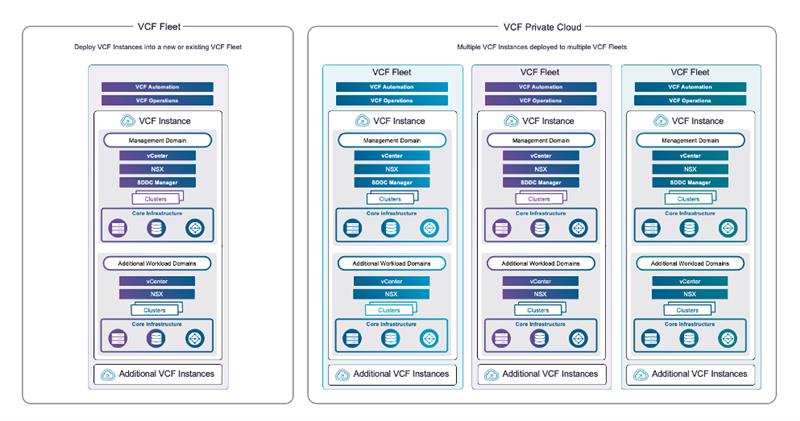
First, we have the VCF fleet. This is a logical group of VCF instances, and for most environments, you’ll typically want a single fleet, as centralised management operates at the fleet level. Each fleet contains one Operations instance and one Automation instance.
Next is the VCF instance. This is built around the SDDC Manager, and there’s no strict limit on how many instances you can have per fleet. The main constraint is the metric maximums, which depend on your Operations deployment topology.
Each VCF instance can contain up to 25 workload domains: one management domain and up to 24 virtual infrastructure domains.
A workload domain is essentially a vCenter Server environment, and you can scale ESXi hosts up to the standard vCenter limits. The first domain is always the management domain, which hosts your core management components.
For smaller environments, you can opt for a consolidated design, where everything resides in a single domain.
Simplified system management
Operations is where the magic happens. Previously, you had to jump between tools for monitoring, troubleshooting, and optimisation. Now, VCF 9 integrates Fleet Management and the SDDC Manager into a single UI for a seamless experience.
Lifestyle management
One of the biggest wins in VCF 9 is simplified lifecycle management. Gone are the days of manual interoperability checks, lengthy patching plans, and upgrading each component in its own interface. VCF Operations now does all of this for you, automatically and from a single place.
Here’s what you get:
- A single pane of glass for upgrades and patches.
- Automated best-practice sequencing, so upgrades happen in the right order.
- Full visibility into your fleet lifecycle, split into:
- VCF Management Components: Operations, Ops Logs, Ops Networks, Automation, Fleet Management.
- Connected VCF Instances with their workload domains.
From the management view, you can easily see what’s deployed, add new components, scale up or out, and plan upgrades. Plus, you can connect directly to Broadcom’s download site for binaries and updates efficiently.
There is also full binary management, so you can connect to the Broadcom download site with your token and get all the updates and installation files you need.
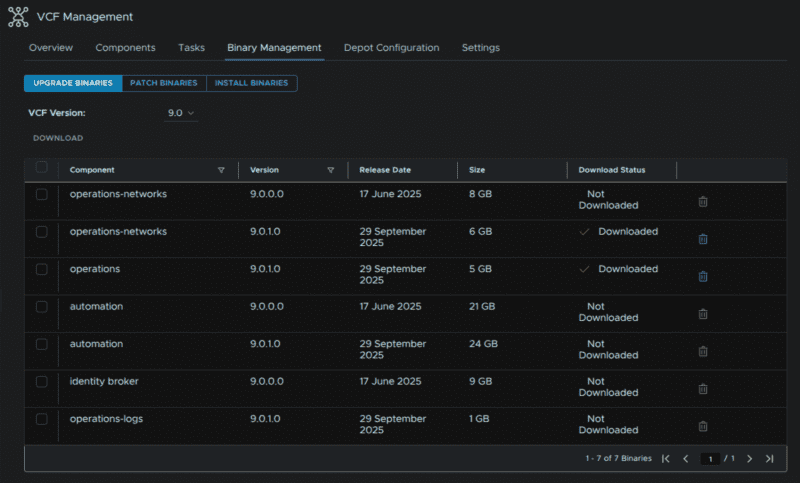
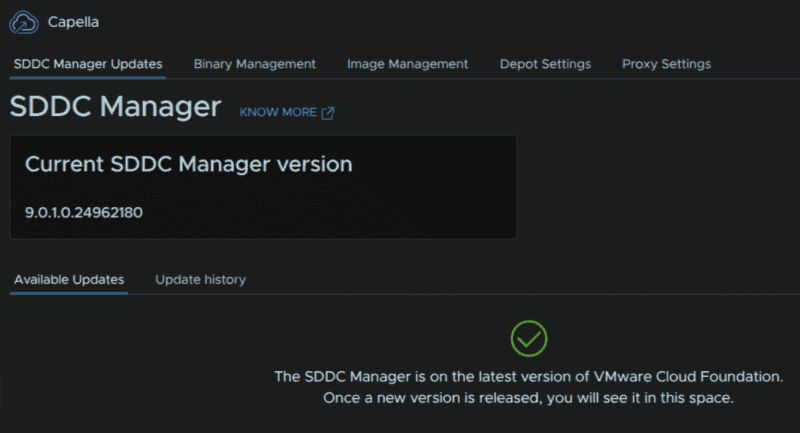
The VCF Instance allows for the same…
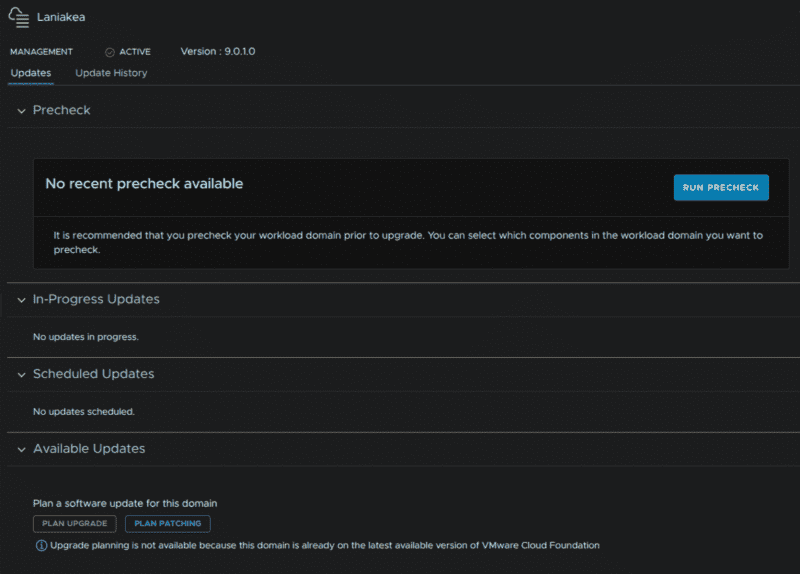
For managing the lifecycle of our workload domain, we can run upgrade/ patching pre checks and plan a patching/ upgrade path, giving us full control over what versions we want to go to.
Certificates
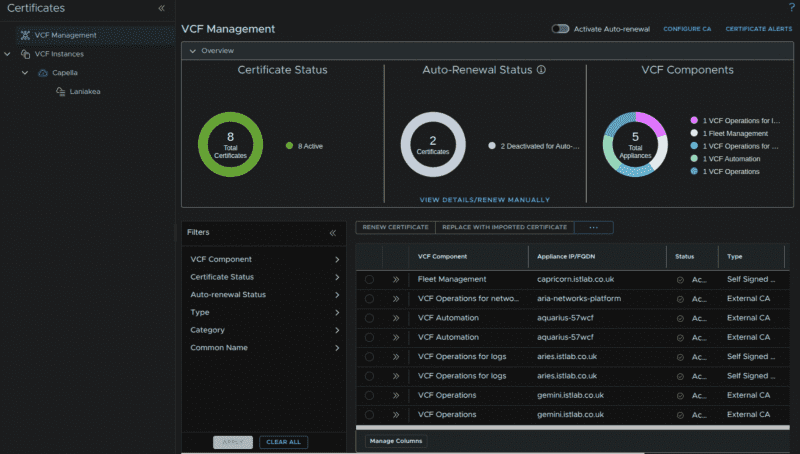
We also get full VCF certification management, allowing for easy renewing, and automated renewal of certificates.
This can also be configured to an on-premises Microsoft Certificate Authority (CA), keeping custom certificates much simpler than ever before.
Networking gets smarter: VPC in NSX
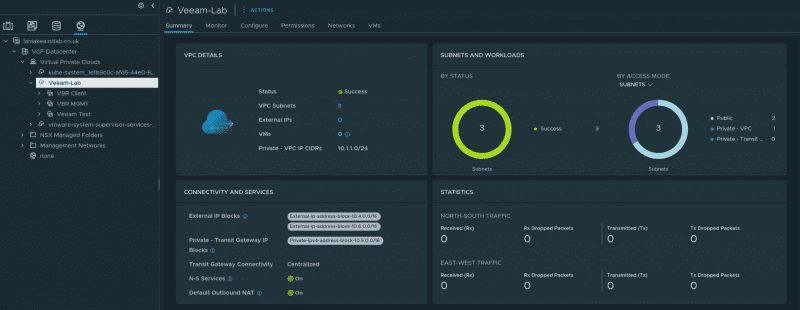
The standout NSX feature in VCF 9 is VPC networking. These act like isolated networking bubbles and can be:
- Private: internal connectivity only, external access via NAT, overlapping IP blocks allowed.
- Public: routed via Border Gateway Protocol (BGP), pulled from configured IP ranges, with the option to assign public IPs to private subnet servers.
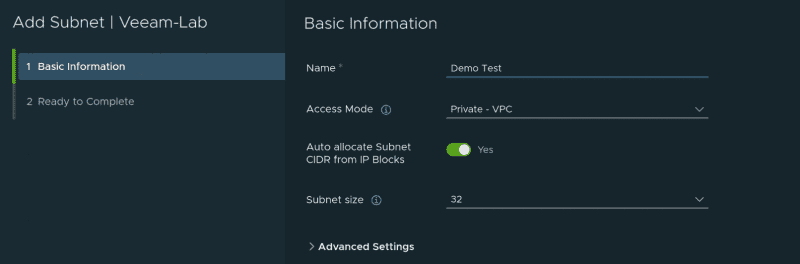
Adding a new subnet is a simple as adding a name, selecting if its private or public, and then a subnet size. The rest is automatically handled for you.
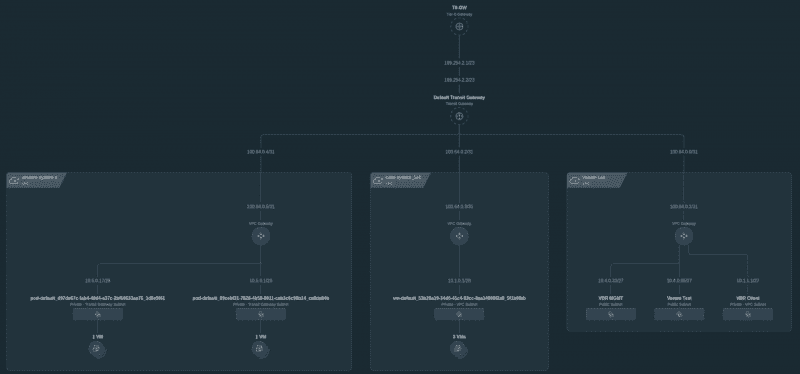
The NSX UI also allows us to see a nice topology of everything deployed.
Kubernetes deployment simplified
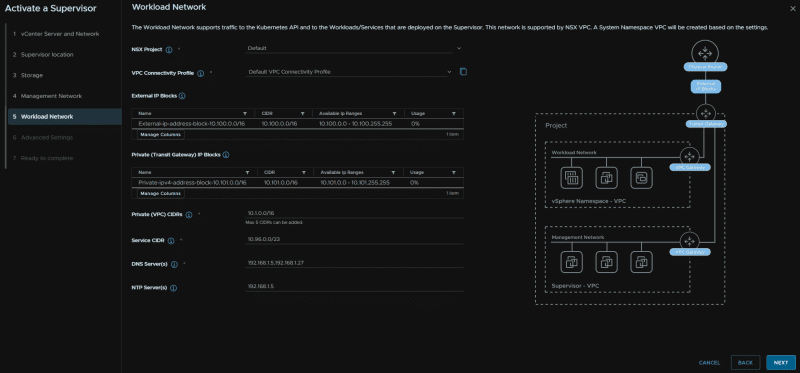
The vSphere Kubernetes Service (formerly Tanzu) now supports VPC integration, streamlining supervisor setup and enabling All Apps deployment through VCF Automation.
Self-service and automation
VCF Automation introduces new capabilities for IT teams:
- All Apps Deployment alongside classic options.
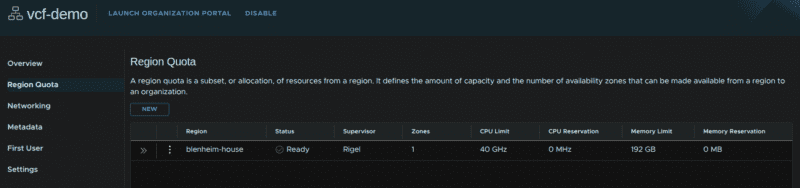
- Create organisations (e.g., per department) for chargeback and resource tracking.
- Set guardrails for CPU, memory, and storage quotas.
- Add content libraries for easy template management.
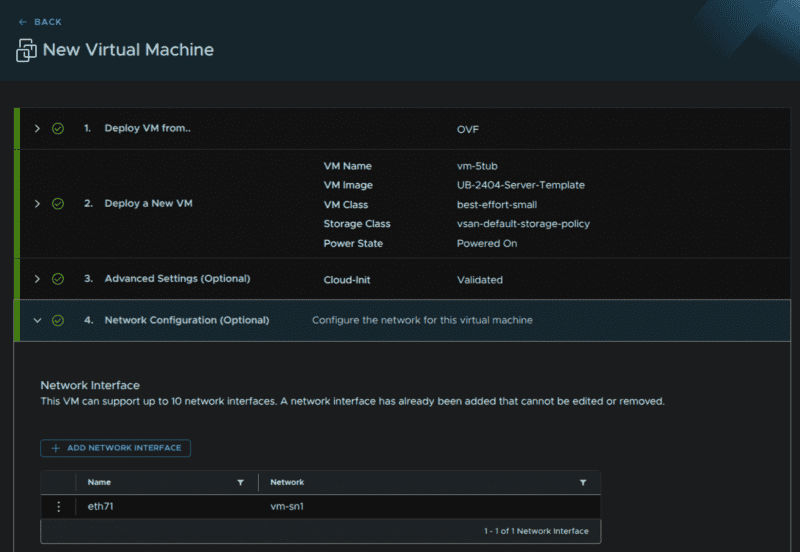
Deploying a virtual machine (VM) is now as simple as selecting an Open Virtualisation Format (OVF) or ISO, naming it, choosing size and storage, clicking deploy, and network provisioning is all handled automatically.
Global deduplication in vSAN 9
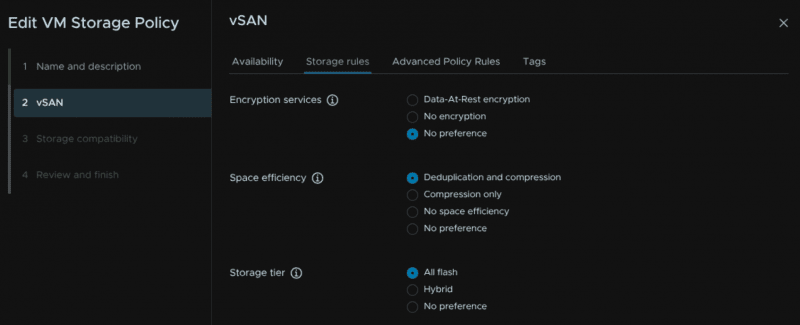
Finally, vSAN 9 brings global deduplication for ESA (NVMe-based) environments. Unlike OSA (Original Storage Architecture), this is policy-based, giving you flexibility and efficiency. Just edit or create a storage policy in vSphere and enable space efficiency for deduplication and compression.
ESX Memory Tiering
New with ESX 9 is memory tiering, this allows you to use NVMe storage as additional RAM lowering hardware costs, especially in 2026 with the RAM crisis pushing prices to extreme highs.
You can do some or all nodes in a cluster, so its great for a slower expansion, or for testing in a cluster and VMs can be excluded if you have workloads that wouldnt work very well on it, like SQL.
Hosts even support, redundancy using two NVMe devices in RAID1, this also gives more performance but costs more overall.
The recommended setting is 1:1, eg you could spec a 1TB DRAM server with 512GB DRAM and a 1.92TB NVMe disk to add 512GB of effective RAM.

About the author
Phoenix Software
Phoenix enables digital transformation in the workplace, empowering UK public sector organisations to innovate and transform with cloud and hybrid infrastructures, data, AI, security, and collaboration tools. By understanding its customers’ goals, Phoenix delivers outcome–focused IT solutions that make a difference to the lives of employees, service users, and communities.