



What’s new in VCF Operations: key features and benefits
5 minute read
Phoenix Software
January 28th, 2026
VCF Operations is often an underrated tool within the VMware Cloud Foundation platform, yet it plays a significant role in simplifying the day-to-day management of your environment. In this blog, we explore why it’s so valuable and how you can use its capabilities to improve visibility, efficiency, and operational control across your data centre.
Dashboarding
One of the standout features in VCF Operations is the ability to build fully custom dashboards. These make it easy to surface the exact metrics you need, helping teams monitor performance and spot issues faster.
vSphere dashboards
You can create vSphere dashboards that provide real–time insight into key operational metrics, including:
- Inventory statistics
- Guest VM CPU, memory and disk usage in real time
- Host CPU and memory
- Datastore capacity
- CPU overcommit
- Snapshots
- Cluster time remaining
- Networking usage
- VM Capacity over time
- Overall environment health
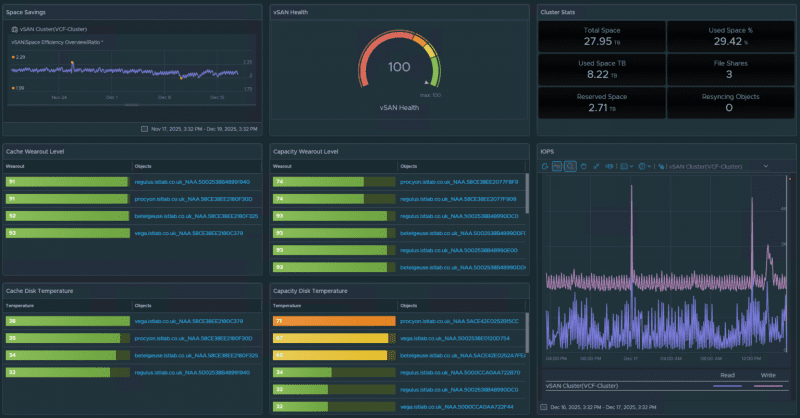
vSAN dashboards
vSphere Standard remains VMware’s trusted hypervisor for basic server virtualisation. It’s ideal for development, testing, and smaller production environments. With vSphere Standard, you get:
- Essential features for virtualising physical servers
- Tools to manage virtual machines efficiently
- High availability and reliability for your workloads
VM dashboards
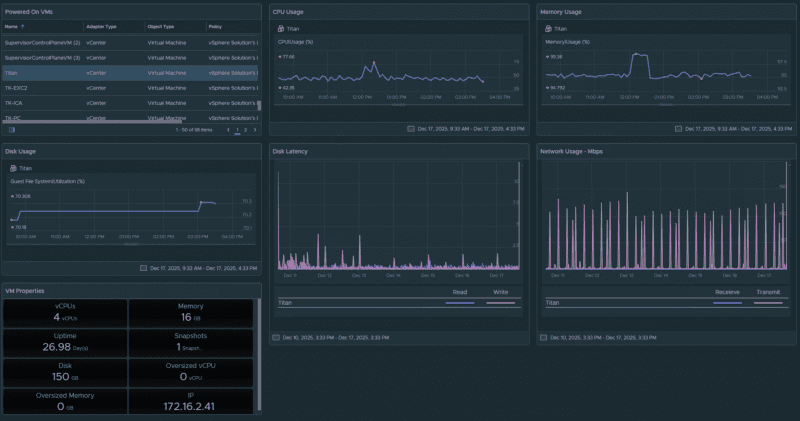
You can also build VM-specific dashboards that focus on performance and resource usage in 5-minute intervals.
These dashboards allow you to select a powered-on VM from the list and instantly view detailed data across multiple widgets, such as:
- CPU usage
- Memory usage
- Disk usage
- Disk latency
- Network usage
- VM properties
Diagnostic findings
VCF Operations includes built‑in diagnostic and best-practice findings, helping you quickly identify risks, misconfigurations or areas for improvement across your environment.
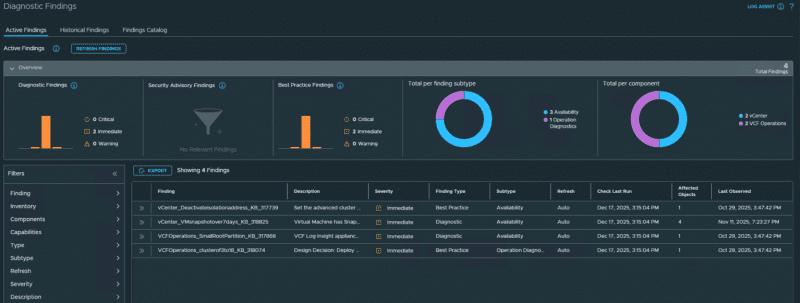
Each finding includes a clear explanation of why it was triggered…
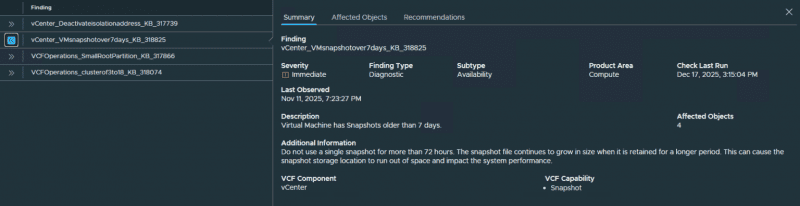
…as well as recommended remediation guidance.
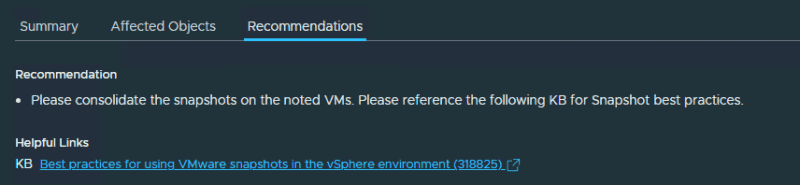
This makes it much easier to maintain a healthy, compliant and well configured environment.
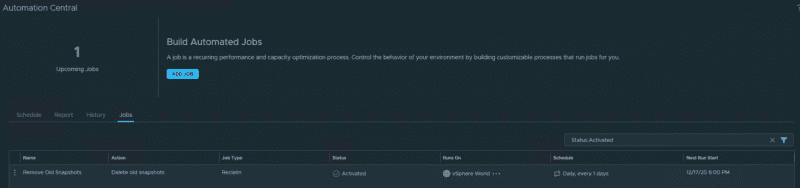
Automated snapshot clean-up
Stale or forgotten snapshots are a common cause of performance issues and, in some cases VM corruption. VCF Operations can automatically detect and remove old snapshots based on your chosen policy.
For example, you can schedule daily checks and automatically remove any snapshot older than 28 days. Exclusions and filters are available if needed, allowing you to tailor the process to specific VMs or workloads.
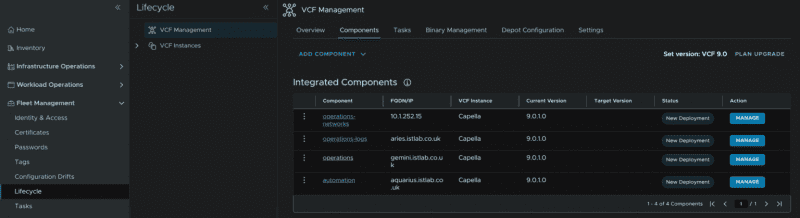
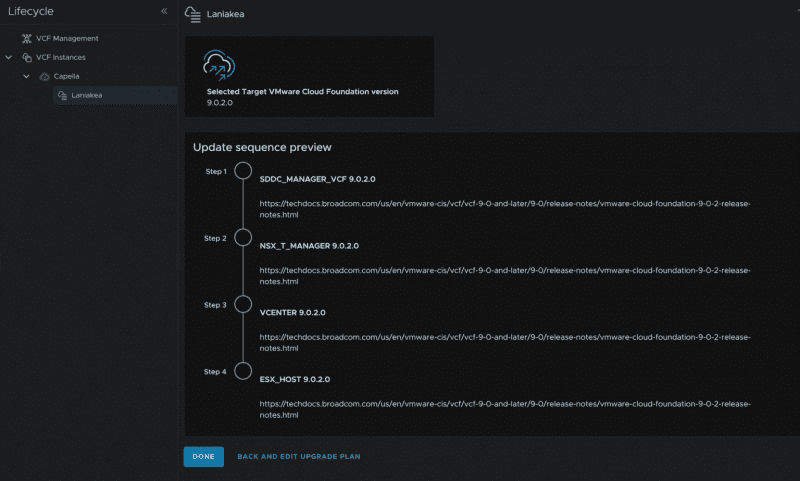
Full lifecycle management
VCF Operations provides centralised lifecycle management for all VCF appliances, enabling you to manage both your VCF management domain…
and your VCF workload domains,
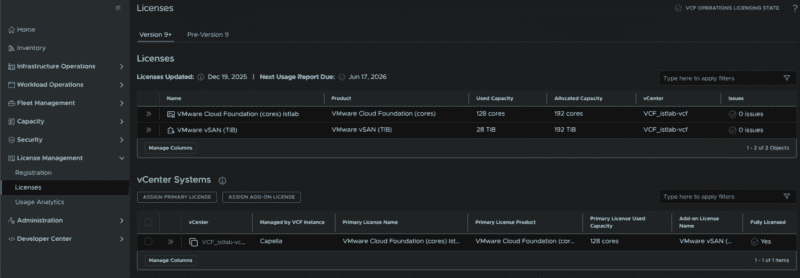
Centralised licensing
Another useful capability is centralised license management. Instead of applying licenses to each product individually, you can onboard your workload domains into a VCF instance in VCF Operations. Licences are then automatically pulled from the central pool and applied where needed, helping maintain consistency and saving valuable admin time.
Your next steps
Want to understand how VMware Cloud Foundation ties everything together? Explore how VCF supports modern operations, improves visibility and simplifies management across your environment.
Learn more

About the author
Phoenix Software
Phoenix enables digital transformation in the workplace, empowering UK public sector organisations to innovate and transform with cloud and hybrid infrastructures, data, AI, security, and collaboration tools. By understanding its customers’ goals, Phoenix delivers outcome–focused IT solutions that make a difference to the lives of employees, service users, and communities.